
Makeup
How to Remove a TV From a Wall Mount in 5 Easy Steps
May
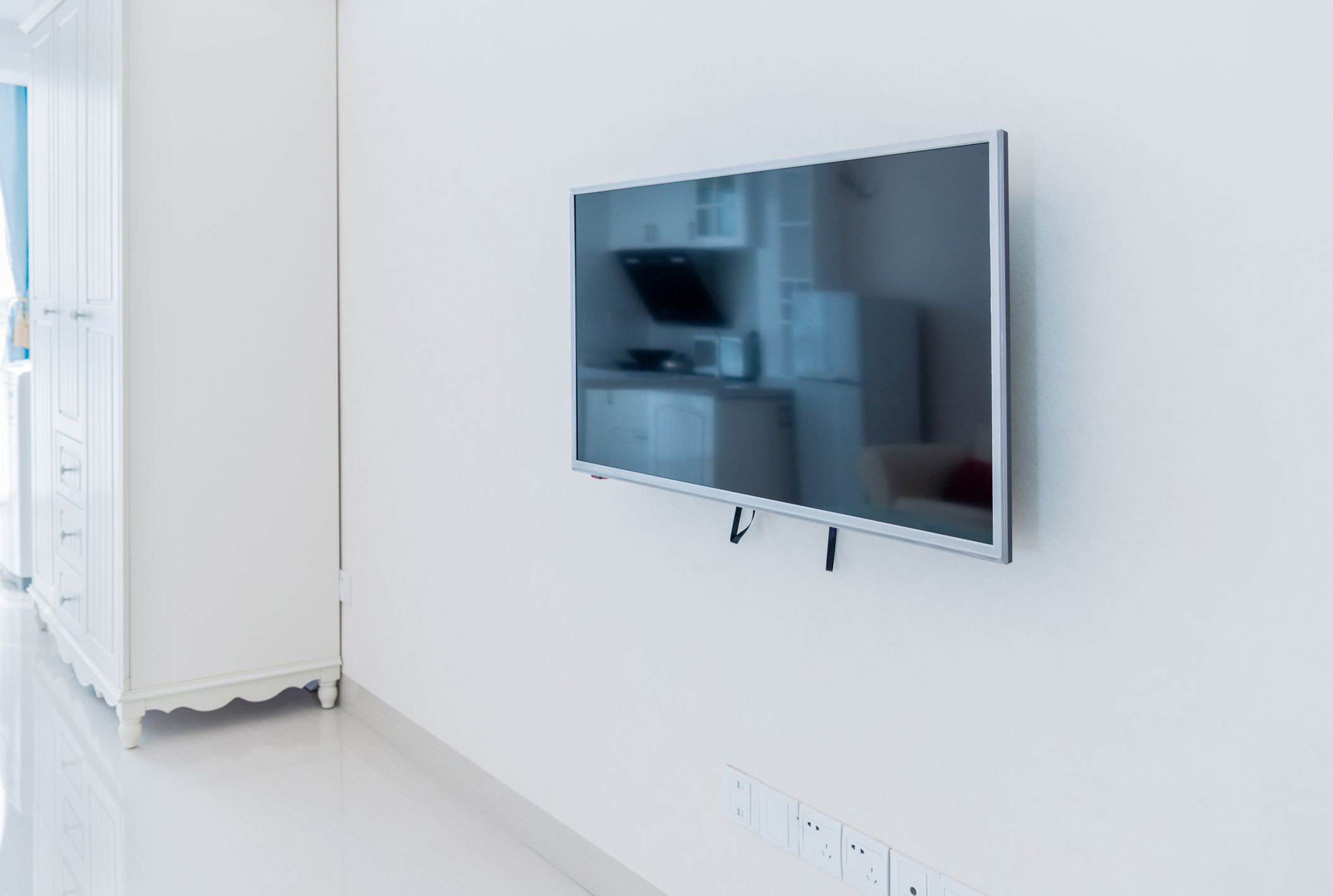
Removing a TV from a wall mount sounds simple until you are standing under a giant flat screen, staring at mysterious brackets, tiny screws, hidden pull cords, and enough cables to make the back of your entertainment center look like spaghetti night. The good news? Most wall-mounted TVs come down using the same basic process: prepare the area, unplug everything, release the safety lock, lift the TV off the bracket, and decide what to do with the wall plate afterward.
This guide walks you through how to remove a TV from a wall mount safely, cleanly, and without turning your living room into a home-improvement blooper reel. Whether you have a fixed mount, tilting mount, or full-motion articulating arm, these five steps will help you understand what to look for and what not to force.
Before you begin, remember this: TVs are awkward, not just heavy. A 55-inch TV may not feel like a refrigerator, but it is wide, fragile, slippery, and very committed to landing screen-first if handled carelessly. For larger TVs, curved screens, OLED panels, or mounts above fireplaces, get a helper. Your future selfand your TVwill thank you.
Before You Start: Tools and Safety Checklist
You do not need a full contractor’s toolbox to remove a wall-mounted TV, but having the right basics nearby makes the job faster and safer. Gather these items before touching the mount:
- Phillips screwdriver
- Flathead screwdriver
- Allen wrench or hex key, if your mount uses hex bolts
- Flashlight
- Soft blanket, rug, or clean towel for placing the TV screen-side down or upright safely
- Painter’s tape or cable labels
- Small container for screws and bolts
- A second person for medium and large TVs
Also check the TV owner’s manual or wall mount manual if you still have it. Many brands use similar systems, but the release method can vary. Some mounts use bottom safety screws. Some use pull strings. Some have spring-loaded latches. Others have a locking bar, release ring, or small tabs that need to be pressed before the TV can lift off.
If the TV will not move, do not yank it. A stuck TV usually means a lock is still engaged, a screw is still tightened, or a cable is catching behind the panel. Wall mounts are designed to hold expensive electronics in place, so a little stubbornness is normal. Brute force is not a strategy; it is how drywall gets dramatic.
Step 1: Identify the Type of Wall Mount
The first step in removing a TV from a wall mount is figuring out what kind of mount you are dealing with. Most residential TV mounts fall into three categories: fixed, tilting, and full-motion.
Fixed TV Wall Mount
A fixed wall mount keeps the TV flat against the wall. It usually has two vertical brackets attached to the back of the TV, which hook onto a horizontal wall plate. These mounts are slim and neat, but they can make cable access tricky because there is very little space behind the screen.
To remove a TV from a fixed mount, you typically release bottom locks or loosen safety screws, tilt the bottom of the TV slightly away from the wall, and lift the whole TV upward to unhook it from the wall plate.
Tilting TV Wall Mount
A tilting mount allows the screen to angle up or down. These mounts often have knobs, tension bolts, or tilt arms that keep the TV at the desired angle. They may also use bottom safety screws or pull cords. Tilting the TV forward slightly can help you see the locking hardware underneath.
Be careful not to loosen the wrong bolts. Tilt adjustment bolts are not always the same as release screws. If you remove a structural bolt too early, the TV may shift suddenly. That is not the kind of “surround sound” anyone wants.
Full-Motion or Articulating TV Wall Mount
A full-motion mount has an arm that can extend, swivel, and tilt. This type is often easier to inspect because you can pull the TV away from the wall and look behind it. However, it can also be heavier and more complex because the TV may be attached to an arm assembly instead of a simple flat wall plate.
For full-motion mounts, the TV may need to be lifted from an arm plate, released from hooks, or detached by loosening locking screws. Keep the arm supported and avoid letting it swing suddenly after the TV is removed.
Step 2: Turn Off the TV and Unplug Every Cable
Once you know what kind of mount you have, turn off the TV and unplug the power cord from the wall outlet. Do not simply turn the screen off with the remote and call it done. You want the TV fully disconnected from electricity before you start moving it.
Next, disconnect every cable attached to the TV. This may include HDMI cables, optical audio cables, antenna coaxial cables, Ethernet cords, USB devices, soundbar connections, gaming console cables, streaming sticks, and power adapters. If your setup includes cable management clips or in-wall cable plates, remove or loosen them carefully.
If you are planning to reconnect the same TV later, label the cables before unplugging them. A small piece of painter’s tape marked “HDMI 1,” “soundbar,” or “game console” can save you from the classic post-removal puzzle: “Why does the screen work but the sound has disappeared into the void?”
For TVs mounted very close to the wall, cable removal may require one person to gently tilt the TV while another reaches behind it. Do not pull the TV outward too far before releasing the mount, especially on fixed brackets. The screen may still be locked in place, and forcing it can stress the brackets or the ports on the back of the TV.
Step 3: Find and Release the Locking Mechanism
This is the step where most people get stuck. Wall mounts usually include a safety feature that prevents the TV from accidentally lifting off the wall plate. That safety feature is exactly what you need to release before removing the TV.
Common TV Mount Locking Systems
Look along the bottom edge of the TV and behind the lower bracket area. Use a flashlight if the mount is tight to the wall. You may find one of these common release systems:
- Bottom safety screws: Small screws at the bottom of each vertical bracket that prevent the TV from lifting upward.
- Pull cords or release strings: Two cords hanging behind the TV that unlock spring latches when pulled downward.
- Latch tabs: Plastic or metal tabs that flip, press, or slide to release the bracket.
- Locking bar: A rod or bar that slides through the mount to secure both brackets.
- Release ring: A ring or handle that must be pulled to disengage the TV from the wall plate or arm.
- Hex bolts: Bolts requiring an Allen wrench to loosen the bracket connection.
If your mount has pull cords, pull both cords downward at the same time while a helper supports the TV. If it uses screws, loosen them enough to free the bracket but do not let the screws fall into the carpet dimension where lost hardware goes to retire. If there is a locking bar, slide it out and place it in your screw container.
Some older mounts may be dusty, painted near the edges, or slightly stuck from years of not moving. Gently wiggle the bottom of the TV after releasing the lock. If the mount still refuses to budge, pause and inspect again. There may be a second locking point or a hidden screw on each side.
Step 4: Lift the TV Off the Wall Mount
After the locking mechanism is released, you are ready to remove the TV from the wall mount. This is the part where teamwork matters. One person should stand on each side of the TV, gripping the bottom and side edgesnot the screen surface.
For most fixed and tilting mounts, gently tilt the bottom of the TV away from the wall by a few inches. Then lift the TV upward to unhook the vertical brackets from the top lip of the wall plate. Move slowly. You are not trying to win a weightlifting competition; you are trying to avoid buying a new television before lunch.
For full-motion mounts, pull the TV slightly away from the wall if needed, support the screen, then release the TV from the arm plate according to the mount design. Some models require lifting upward; others require loosening fasteners first. Keep the mount arm from swinging after the TV is detached.
Where to Place the TV After Removal
Before lifting the TV, decide where it will go. Place a soft blanket on a clean, flat surface. Many TVs can be placed screen-side down on a padded surface, but some manufacturers recommend keeping certain screens upright, especially large OLED or curved models. When in doubt, keep the TV vertical and supported.
Do not place the TV on a hard floor, near a doorway, or leaning at a dramatic angle against a chair. A TV leaning like a sleepy giraffe is not secure. If you need to store it temporarily, use the original box if available, or place it upright against a stable surface with padding between the screen and anything hard.
Step 5: Remove the Wall Plate or Leave It in Place
Once the TV is safely down, you can decide whether to remove the wall mount itself. If you are simply replacing the TV with a new one and the mount is compatible with the new screen’s size, weight, and VESA pattern, you may be able to leave the wall plate installed.
If you are moving, repainting, changing room layout, or switching mount styles, remove the wall plate. Most wall plates are attached with lag bolts into wood studs or masonry anchors in concrete or brick. Use the correct socket, wrench, or drill bit to remove the bolts slowly. Support the wall plate with one hand while removing the final fastener so it does not scrape the wall on the way down.
After removal, inspect the wall. You may have small holes from lag bolts, scuff marks, or cable access openings. For drywall, patch holes with spackle or joint compound, sand smooth, prime, and paint. For larger holes or in-wall cable plates, you may need a drywall patch kit. If the mount was attached to masonry, use appropriate filler designed for concrete or brick.
Keep all brackets, screws, spacers, washers, and manuals together in a labeled bag. TV mount hardware is surprisingly specific. Using bolts that are too long can damage a TV, while bolts that are too short may not hold properly. Future you does not want to search through a junk drawer whispering, “Surely this random screw is important.”
How to Remove Different TV Mount Styles
Removing a Fixed Wall Mount
Fixed mounts are usually the most straightforward. Look for safety screws or release cords at the bottom. Once released, tilt the bottom of the TV outward, then lift upward. Because fixed mounts sit close to the wall, a flashlight and patience are your best friends.
Removing a Tilting Wall Mount
Tilting mounts may have adjustment knobs as well as safety locks. Loosen only what is necessary to release the TV from the bracket. If the TV tilts forward, use that space to inspect the bottom hooks, screws, or latches. Always support the screen while adjusting the angle.
Removing a Full-Motion Wall Mount
Full-motion mounts often allow better access, but the moving arm adds weight and movement. Extend the arm carefully, disconnect cables, then release the TV from the mounting plate. Once the TV is off, fold the arm back slowly or remove the wall plate entirely.
Common Mistakes to Avoid
The biggest mistake is trying to remove the TV alone when it is too large. Even if you can lift the weight, you may not be able to control the width. A helper makes it easier to lift evenly and prevents one side from catching on the bracket.
Another common mistake is forgetting cables. HDMI ports and power ports are not handles. Pulling the TV away while a cable is still attached can bend connectors, damage the port, or yank an in-wall cable loose.
People also confuse tilt adjustment bolts with release hardware. If you are unsure which screw does what, stop and inspect the bracket. The correct release hardware is usually near the bottom of the vertical brackets or latch area.
Finally, never assume drywall alone was enough to hold the mount. If you remove the wall plate and discover weak anchors, damaged drywall, or missing studs, do not reuse the same spot without proper repair. A wall mount must be secured to studs, masonry, or a properly rated structural surface.
When to Call a Professional
Removing a TV from a wall mount is usually a manageable DIY task, but some situations deserve professional help. Call a technician or installer if the TV is very large, mounted high above a fireplace, connected to complicated in-wall wiring, attached to a ceiling mount, or installed on stone, brick, tile, or custom paneling.
You should also get help if the mount seems damaged, the TV is stuck, the wall plate is pulling away from the wall, or you cannot identify the locking mechanism. Paying for help is much cheaper than replacing a cracked screen, repairing torn drywall, or explaining to your family why the TV now has “modern abstract impact art” across the panel.
of Real-World Experience: What Removing a Wall-Mounted TV Actually Feels Like
In real life, removing a TV from a wall mount is rarely as graceful as the diagrams make it look. The manual usually shows two calm people lifting the screen with perfect posture, bright lighting, and zero panic. Actual living rooms are different. There is a couch in the way, the soundbar cable is shorter than expected, and someone always says, “Wait, is it still plugged in?” at exactly the wrong moment.
The most useful experience-based tip is to prepare the landing zone first. Many people remove the TV and then realize they have nowhere safe to put it. That leads to awkward balancing, nervous shuffling, and one person holding the TV while the other frantically clears laundry off the bed. Before you release a single screw, lay down a blanket, move pets out of the room, clear the path, and decide whether the TV will stand upright or lie gently on a padded surface.
Another lesson: take pictures before disconnecting cables. A quick photo of the back of the TV can make reinstallation much easier. This is especially helpful if you have a soundbar, streaming device, gaming console, cable box, and HDMI switch all living behind the screen like a secret technology colony. Labeling cables is even better, but a photo is the minimum effort that pays off later.
Also, expect the locking mechanism to be less obvious than advertised. Pull strings may be tucked behind the TV. Safety screws may be hidden near the bottom edge. A latch may need to be pressed while the TV is lifted. If you feel the TV move slightly but not come free, that is often a sign that one bracket is released and the other is still locked. Stop, support the TV, and check both sides evenly.
For larger TVs, communication matters. Before lifting, agree on simple commands: “tilt,” “lift,” “pause,” and “down.” Do not freestyle. One person lifting faster than the other can make a bracket catch on the wall plate. Move slowly and keep the TV level. If the TV is above shoulder height, use a sturdy step stool only if necessary, and avoid stretching while holding the screen.
The final experience tip is to keep hardware organized immediately. The moment the TV is down, screws start disappearing. Put safety screws, spacers, washers, brackets, and Allen keys into a labeled bag. Tape the bag to the mount or place it in the TV box. This tiny habit can save a ridiculous amount of frustration later, especially when installing the TV in another room or moving to a new home.
Removing a wall-mounted TV is not complicated, but it rewards patience. The best approach is slow, steady, and organized. Think less “demolition day” and more “expensive screen rescue mission.”
Conclusion
Learning how to remove a TV from a wall mount in 5 easy steps gives you more confidence when moving, upgrading, painting, rearranging furniture, or replacing an old screen. Start by identifying the mount type, then turn off the TV and disconnect every cable. Next, find and release the locking mechanism, lift the TV carefully with help, and decide whether to remove or reuse the wall plate.
The key is not speed. The key is control. A TV wall mount is designed to hold weight securely, so the release process should feel deliberate, not forced. Use a flashlight, keep your hardware organized, protect the screen, and ask for help when the TV is too large or awkward. With a little preparation, you can take down a mounted TV without damaged ports, scratched walls, mystery screws, or living room chaos.
Note: Always follow the instructions for your specific TV and wall mount model. If the mount is stuck, damaged, installed high on the wall, or attached to a complex wiring setup, hire a qualified professional instead of forcing the removal.

